Hello,
I have SSO working for PAW (i.e. punch in PAW URL and it will directly go to the home screen). We just installed Apliqo UX 2026.04, connected to the TM1 Servers (security mode 5) with CAM authentication. PAW and Apliqo are installed on the same linux machine. TM1 and Cognos are one a different Windows server.
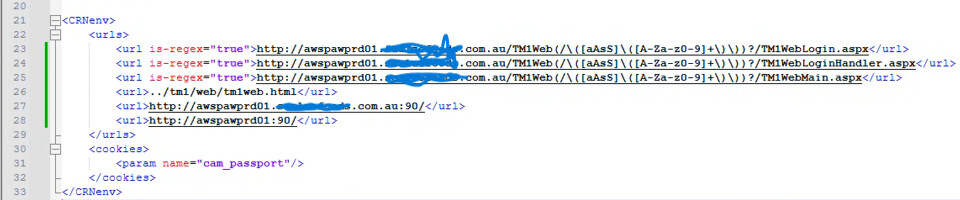
In the Cognos Configuration, we have “Enable CAF validation?” set to false, so no valid domains or hosts are set. I have update the pmhub and planning files with the Apliqo UX URL and port. I have updated the variables_TM1 file with the Apliqo UX URL and port.
When I go to the Apliqo URL, it wlil show the login screen and the namespace will be blank. I will be forced to select the namespace. I can log in using CAM ID fine. If I click the SSO button, I receive the error message below.

Variables_TM1
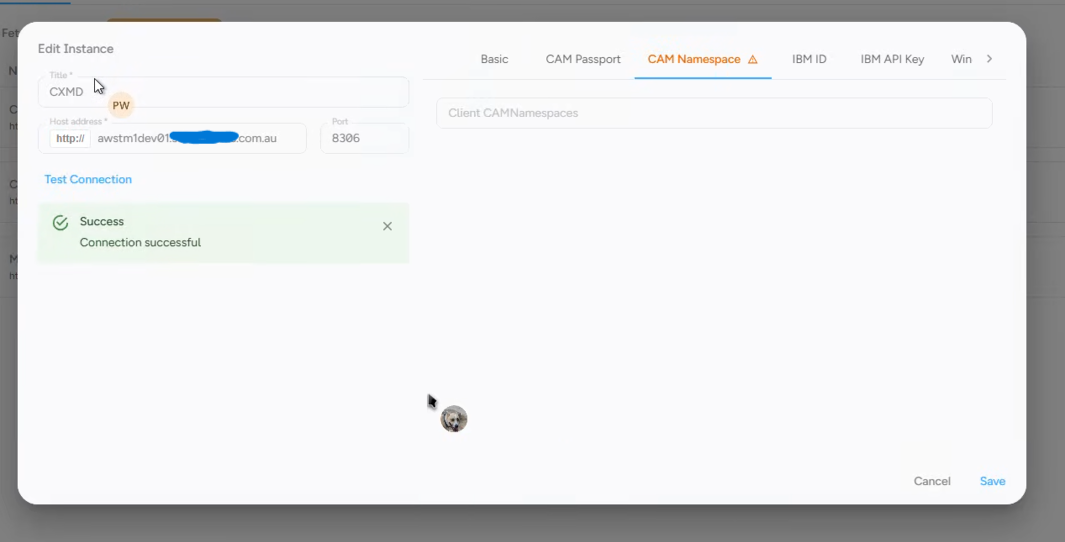
When the instance is connected, the CAM passport will have the gateway URL populated, but the CAM Namespace will not be populated. When I type in the namespace name and save, and then reopen the edit instance, the CAM namespace will be blank again. Not sure if this is an issue.
We did add SSL via NGINX so the url users would access would be https://servername:8443. This does a simple proxt redirect, but everything after would be handled using the HTTP url.
Any thoughts on where I missed something?
Thanks!
