Hi all,
This release introduces 3 major new features, 16 enhancements, and 11 fixes focused on improving functionality, performance, and overall user experience.
Release Notes: 5.2.1
Downloads
-
Slice download page: https://code.cubewise.com/downloads/slice-download/
-
Arc download page: https://code.cubewise.com/downloads/arc-download/
New Features
Pulse Slice Excel Tracking Feature
Starting with version 5.2.1, the Slice settings used for configuring Pulse Excel tracking are now centralized within the Arc settings.yml file. To update these values, navigate to your Arc installation folder and modify the relevant entries in settings.yml.
This change means the configuration only needs to be updated once—Slice will automatically read and apply these settings each time it connects to Arc. As a result, new users using Slice for the first time will receive these settings automatically. Previously, each new user had to configure them manually:
# Set it to true to enable detailed info in context column in Arc Sessions, Pulse or TM1Top (default: true)
detailedslicecontextinfo: true
# Settings for Slice Pulse logging functionality
slicepulselogging:
# Enable or disable Slice Pulse logging
enabled: false
# Pulse URL to send Slice usage to
pulseurl:
# Update stamp for tracking
updatestamp:
# Maximum number of rows to seek when checking for TM1 sheet cells
sheetcellseekmaxrow: 50
# Maximum number of columns to seek when checking for TM1 sheet cells
sheetcellseekmaxcol: 50
# Enable simple TM1 sheet check
enablesimpletm1sheetcheck: true
# Recalculate first sheet on open
recalculatefirstsheet: false`
These new Arc settings will be pushed automatically to Slice.
Arc Assistant – Global Panel & Major Enhancements
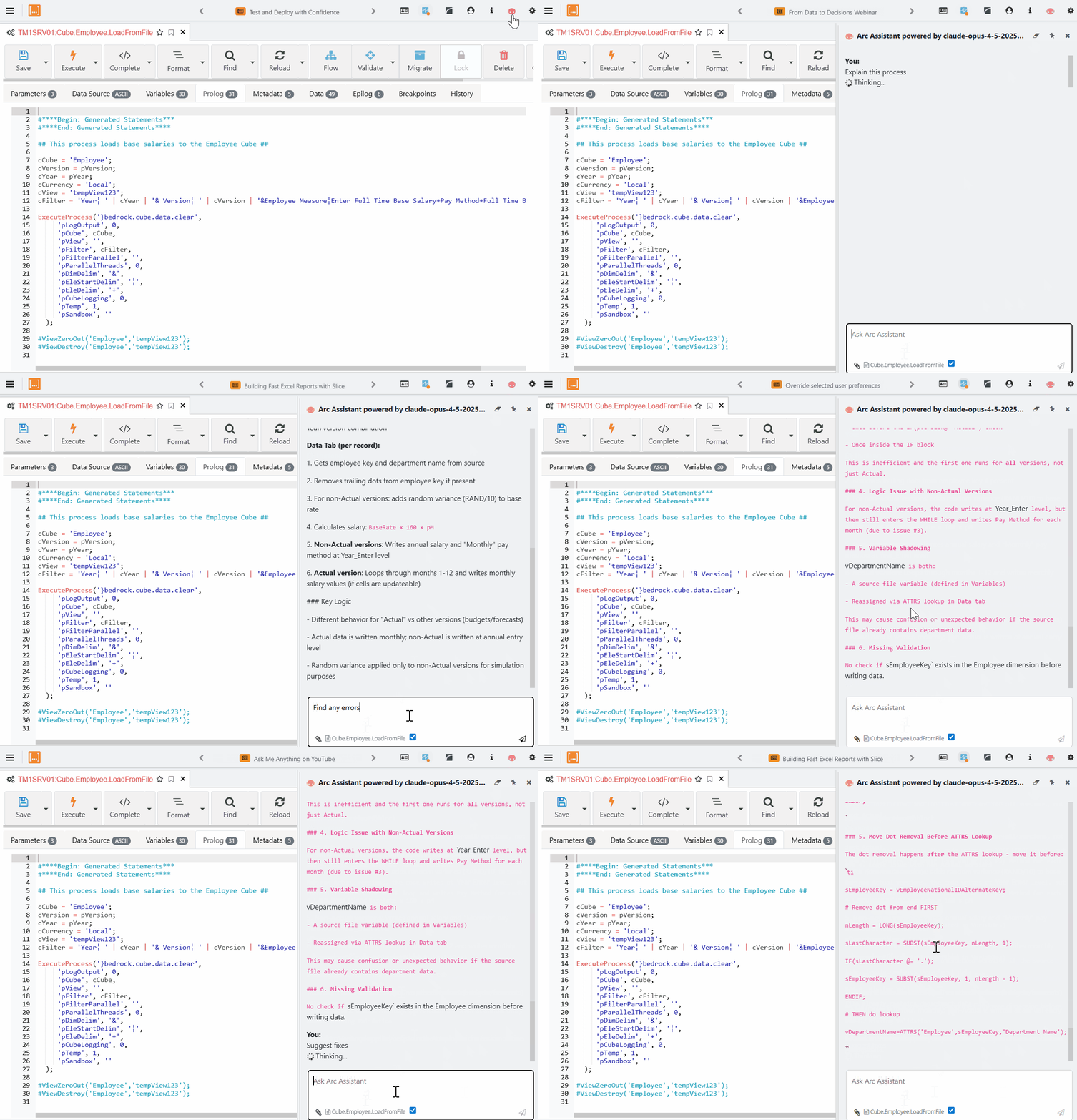
The Arc Assistant is now available as a global panel, along with several improvements:
-
You can now pin the Assistant so it stays open while navigating across Arc.
-
The Assistant is context‑aware, adapting suggestions based on your active tab (Rules, Processes, etc.).
-
It now maintains session history, helping you revisit earlier prompts and answers.
-
You can attach files (CSV, TXT, XLSX) to provide data context for more accurate troubleshooting and analysis.
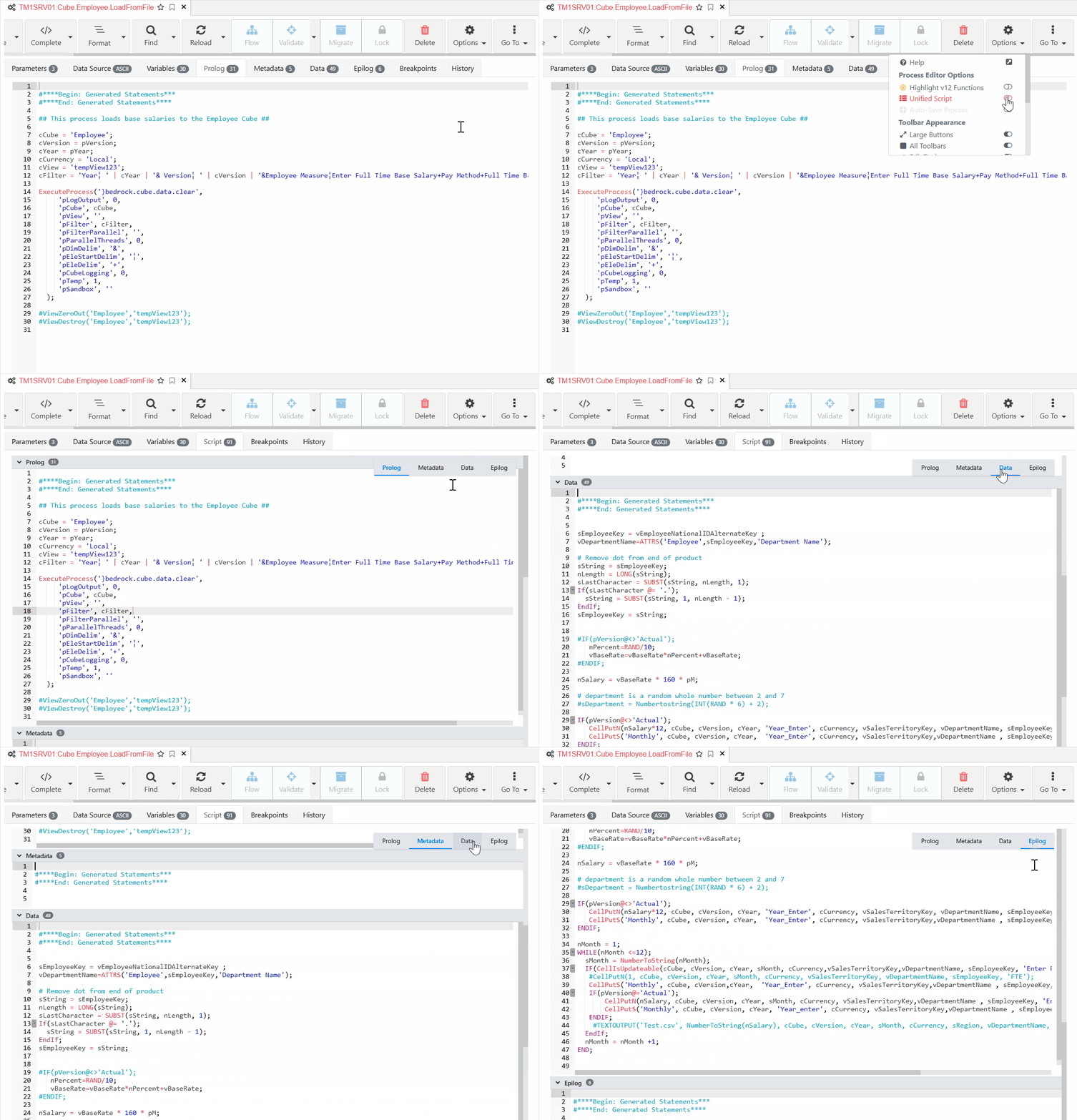
Arc Process Editor – Unified Script View
You can now group Prolog, Metadata, Data, and Epilog into a single Unified Script tab.
Set it as your default in User Preferences, and easily switch views from the Options menu.
This is especially helpful for processes with shorter code blocks, letting you work efficiently without switching tabs.