Can a non-admin user with ADMIN rights to the dimension lock an element in Arc/Slice? I believe that this is possible in Perspective. Reading others in this forum I am expecting a lock option in the context menu in the subset editor. For my user there is no lock item in the context menu.
Hi,
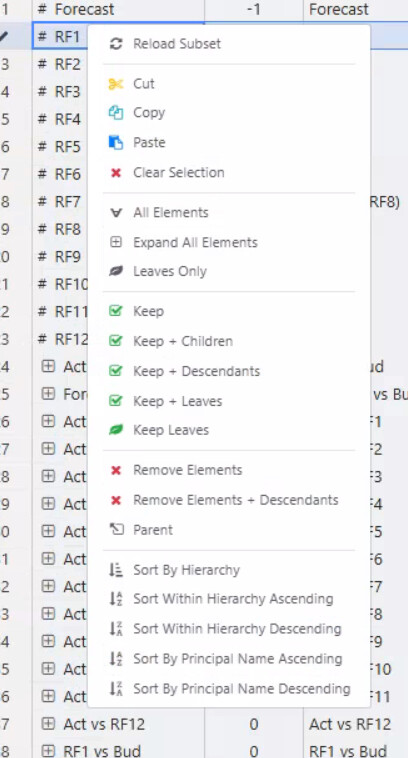
This is the expected behavior in Arc. The lock/unlock element option in the subset editor context menu is only available to users with a global Admin or DataAdmin user type. Having ADMIN security rights on the dimension itself is not sufficient.
In the code, the check is based on the user’s global type (Admin or DataAdmin), not on the dimension-level security assignment. So a regular user — even one with ADMIN access to a specific dimension — will not see the lock option in the context menu.
This differs from Perspective, which may handle this permission check differently.
To summarize:
Admin user → lock option visible
DataAdmin user → lock option visible
Regular user with ADMIN rights on the dimension → lock option not visible
If you need this user to be able to lock elements, the workaround would be to promote them to DataAdmin or Admin at the global level.
If you think, non TM1 Admin users should be able to lock, please raise an enhancement request for this: Jira Service Management