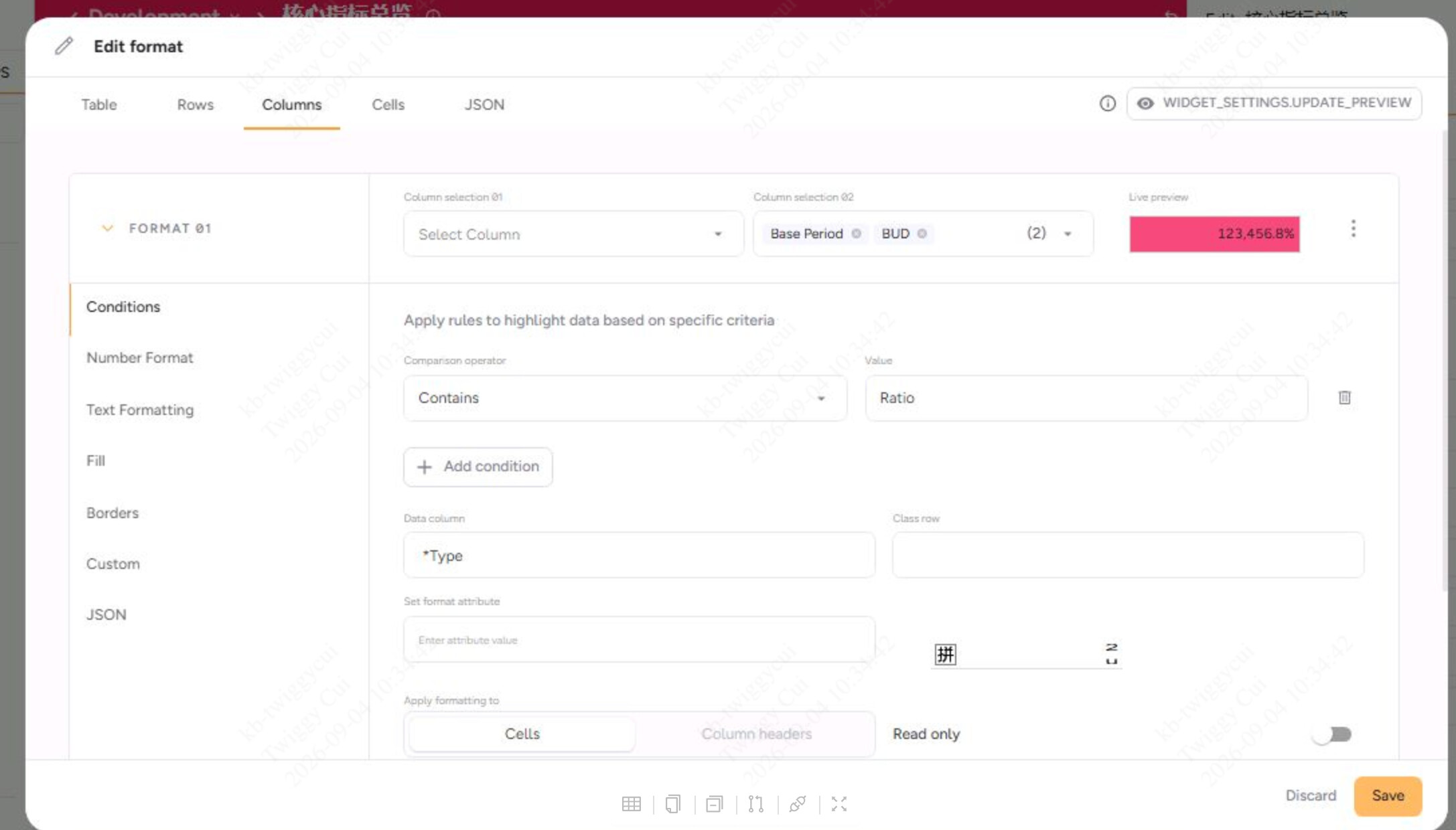
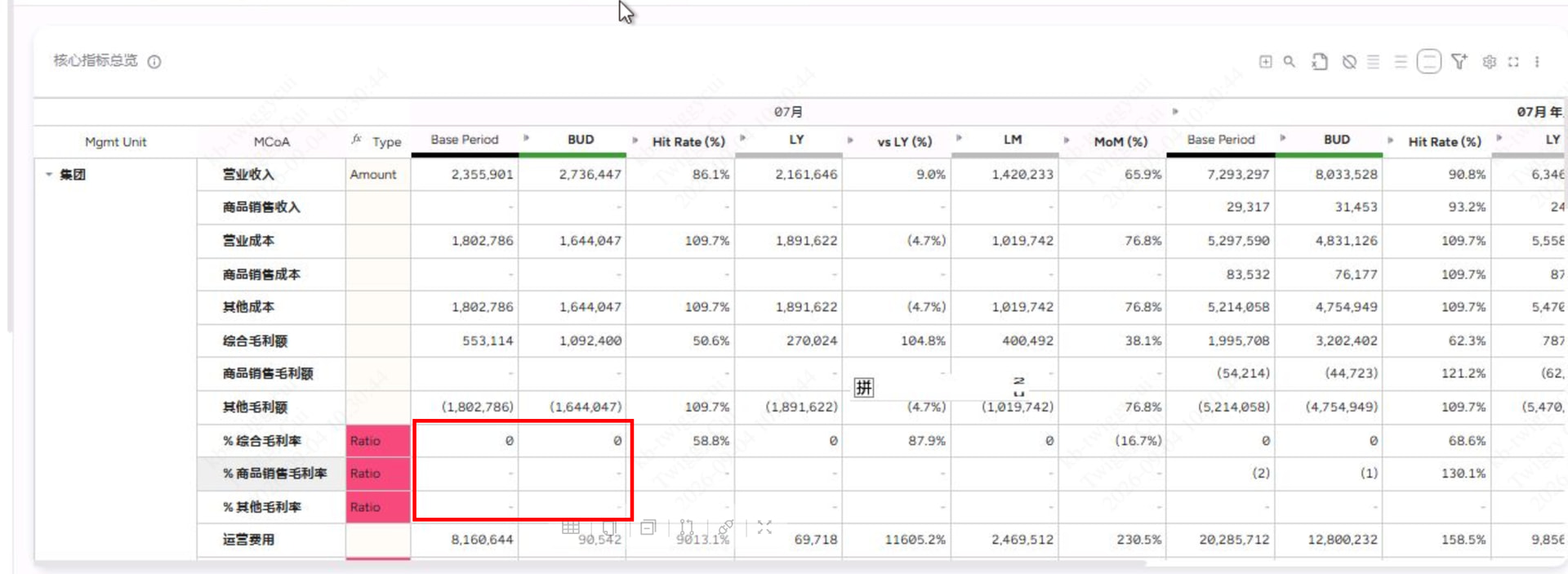
I’m trying to setting table format in UX next gen. I want to highlight cell in pink under “base period” and “BUD” column when the cell value = ratio in the first column. It seems doesn’t work. Here is the screenshot of how i setting the column format below. Is there anything wrong?
There’s currently a bug and stacked columns in combination with data column for the condition doesn’t work via the GUI. This should be fixed in the upcoming release.
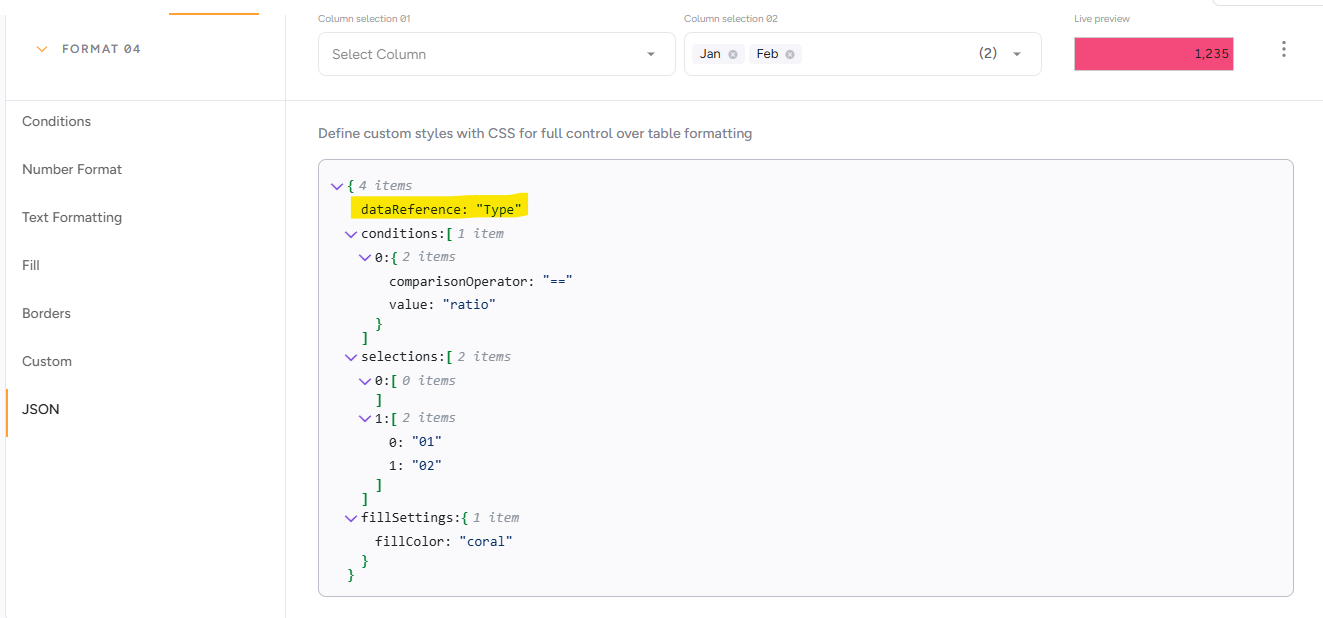
In the meantime as indicated you can edit the json directly to make it work.