Hi All,
I don’t think this is documented well enough and also, I could not find anything on Cubewise EDU or Cubewise blog that pointed to the fact that you can add multiple conditions when adding ARC Debugging Breakpoints.
For Example:
Lets say I want to add a breakpoint in Data tab of a process to stop where Employee = XXX AND Client = YYY. This can be done by simply separating the Breakpoint conditions with an “&” character. Continuing with the simplified example; vEmployee @= ‘XXX’ & vClient @= ‘YYY’
Actual Example:
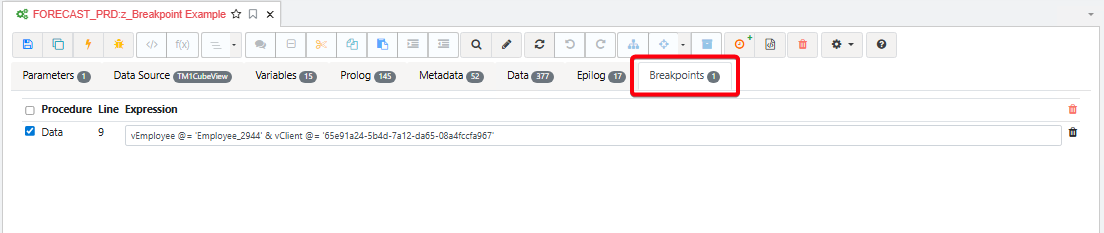
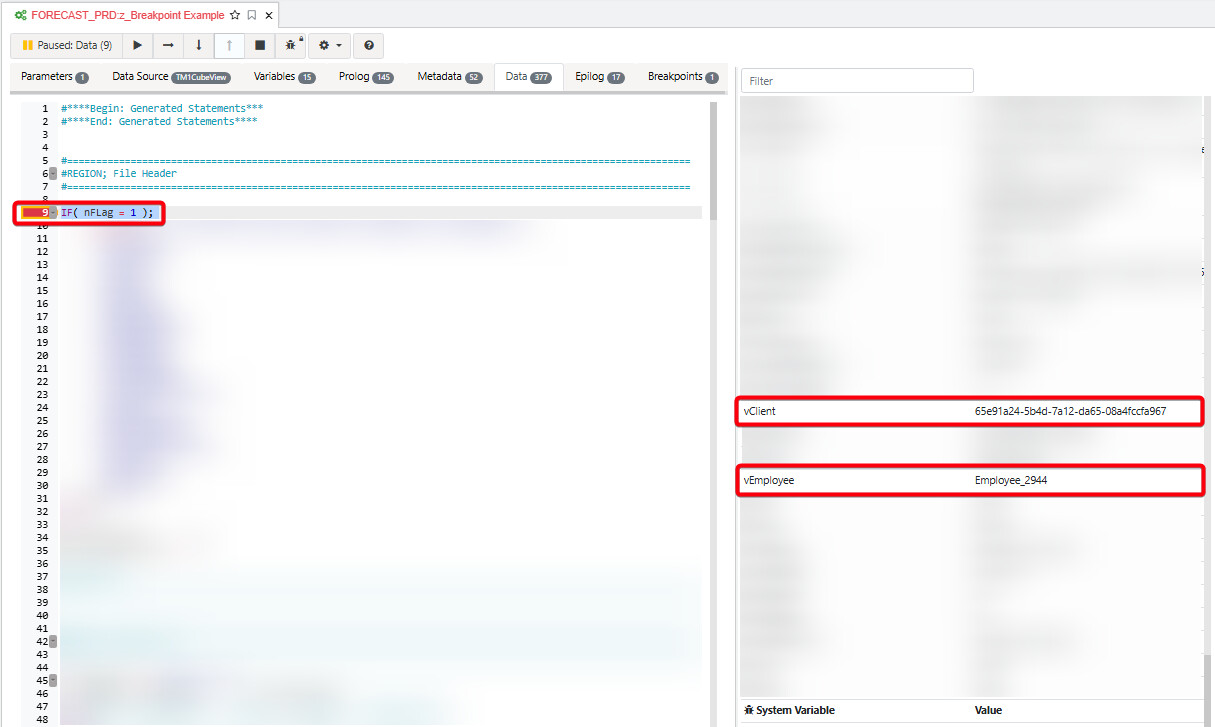
Hope this gives someone an “AHA” moment.