Hi Jack,
I have the same behavior but I think it is not due to the number of dimensions on rows but more on how big the view is.
with the following MDX Query:
{
		"id": "P&L3",
		"mdx": [
      "SELECT NON EMPTY {[General Ledger Measure].[Amount]} ON COLUMNS,",
      "NON EMPTY {TM1SORT({TM1FILTERBYLEVEL({TM1SUBSETALL([Version])},0)},ASC)} * {TM1SORT({TM1FILTERBYLEVEL({TM1SUBSETALL([Period])},0)},ASC)} * {[Account].AllMembers} * {[Department].AllMembers} ON ROWS",
      "FROM [General Ledger]",
      "WHERE ([Year].&[{{Year}}], [Region].&[{{Region}}],  [Currency].&[Local])"
    ],
		"description":"",
		"mdxParams": [
			{ "name":"Year", "value":"2012" },
			{ "name":"Region", "value":"3" }
		]
	},
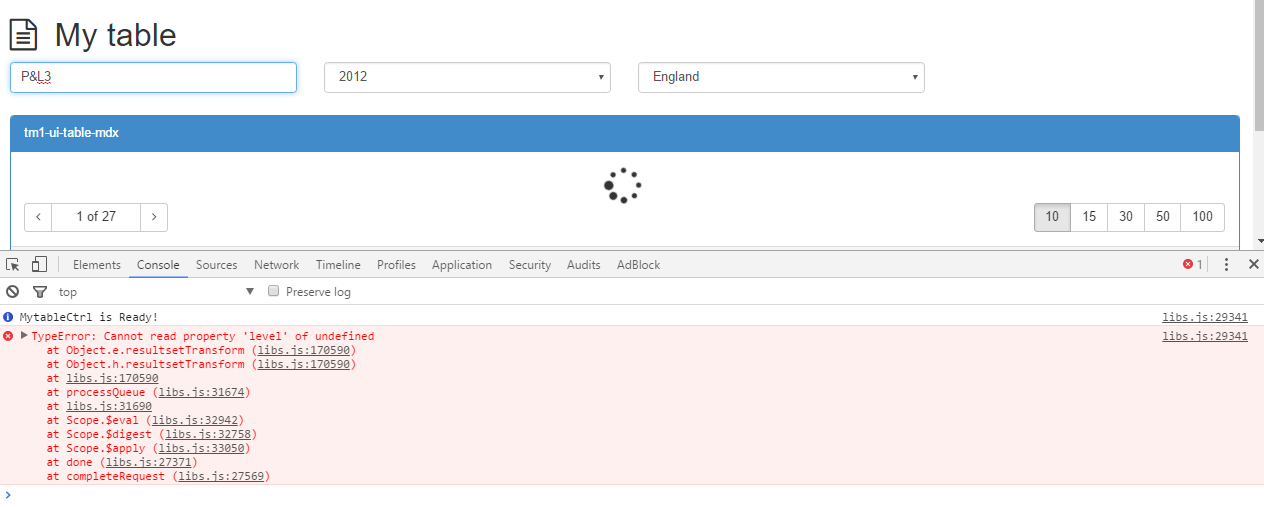
I get the same error as you:
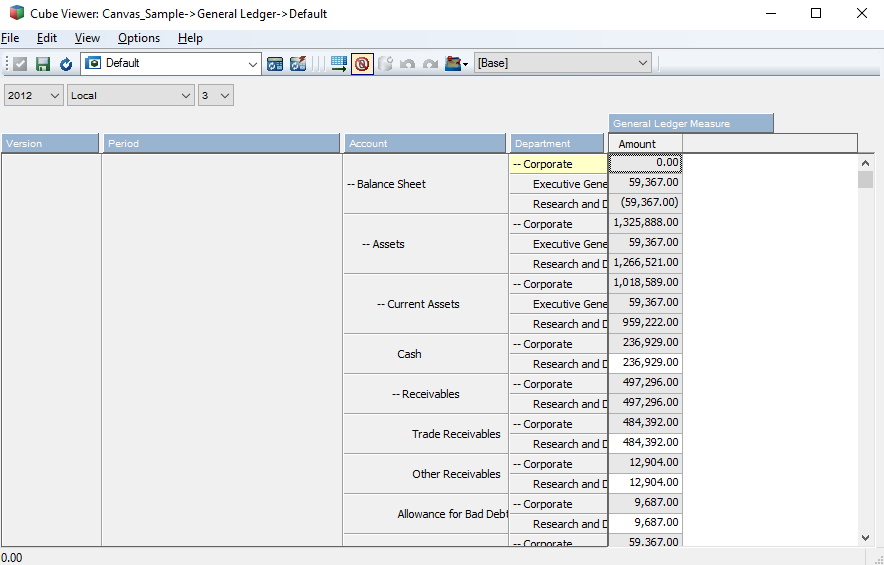
In Architect I was able to open the view:
If I try with 4 dimensions but with a smaller number of elements:
{
		"id": "P&L2",
		"mdx": [
      "SELECT NON EMPTY {[General Ledger Measure].[Amount]} ON COLUMNS,",
      "NON EMPTY {[Version].[Actual], [Version].[Budget]} * {[Period].[Oct], [Period].[Oct YTD], [Period].[Year]} * {[Account].AllMembers} * {[Department].AllMembers} ON ROWS",
      "FROM [General Ledger]",
      "WHERE ([Year].&[{{Year}}], [Region].&[{{Region}}],  [Currency].&[Local])"
    ],
		"description":"",
		"mdxParams": [
			{ "name":"Year", "value":"2012" },
			{ "name":"Region", "value":"3" }
		]
	},
It works:

I’ll raise a ticket to the support and let you know once we have a fix.
Cheers,
Vincent