Hi @Roland,
Thanks! Was just curious on this because when I tried the above (I had just updated the table in an active form output for sample purposes) it shows like this:

Though at a lower resolution / smaller screen, it looks like this:
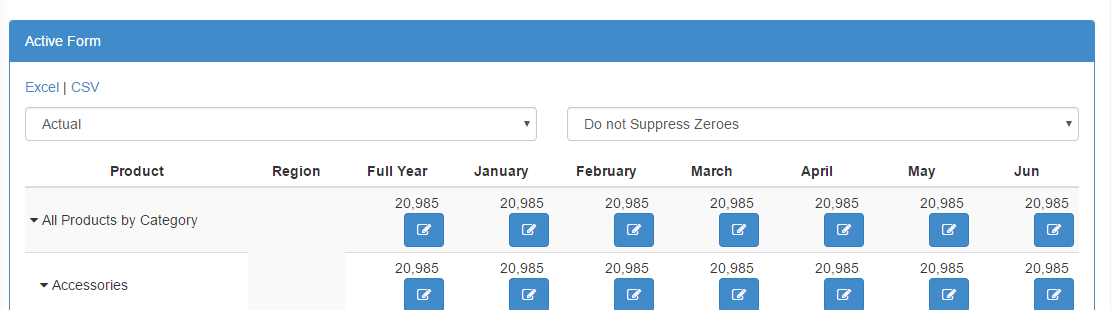
And this is how how my HTML looks like:
<td class="text-right" ng-repeat="period in ['All Months', '01', '02', '03', '04', '05', '06',]">
   <tm1-ui-dbr>...</tm1-ui-dbr>

   <button type="button" class="btn btn-primary"
           title="Select Financial Instrument" ng-click="selectCompanies()">
     <i class="fa fa-pencil-square-o"></i>
   </button>
</td>
With the exception of the ng-style and extra span.
Anyways, thanks again for posting the article!
Just wanted to post the above screenshots. What you might have encountered could be due to how Bootstrap naturally handles the view, depending on screen resolution.
Cheers!
–
Paul