Hi @nbisurgi ,
We’ve included these fields in Pulse’s Opensearch, but it also tracks any product, the version and also the Version, architecture of Excel. Added to the later, you will also see the Workbook and Worksheet.
the name conventions are of those of Pulse. instead of PAfeVersion, it would be ProductVersion.
this how the doucument looks now:
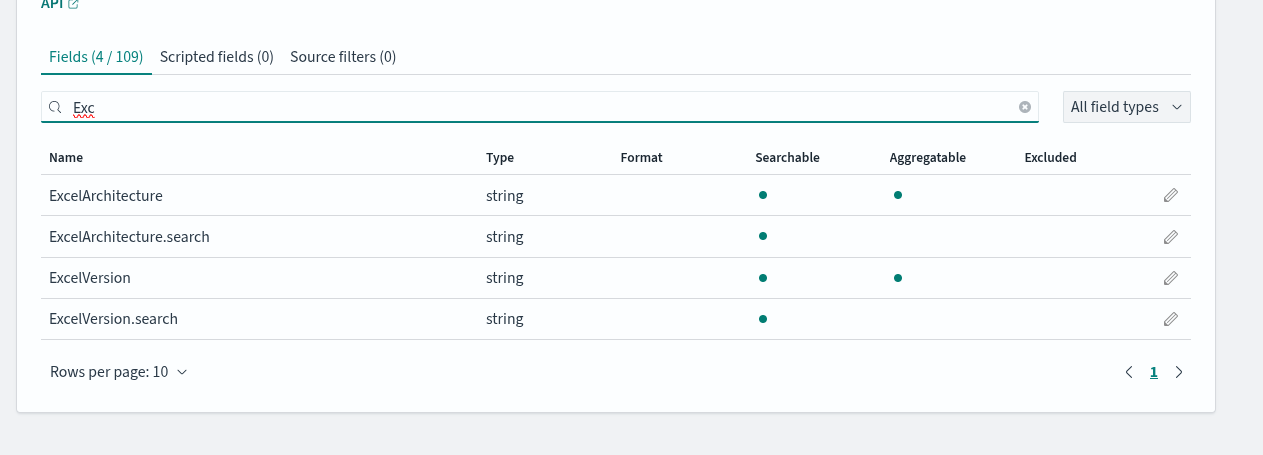
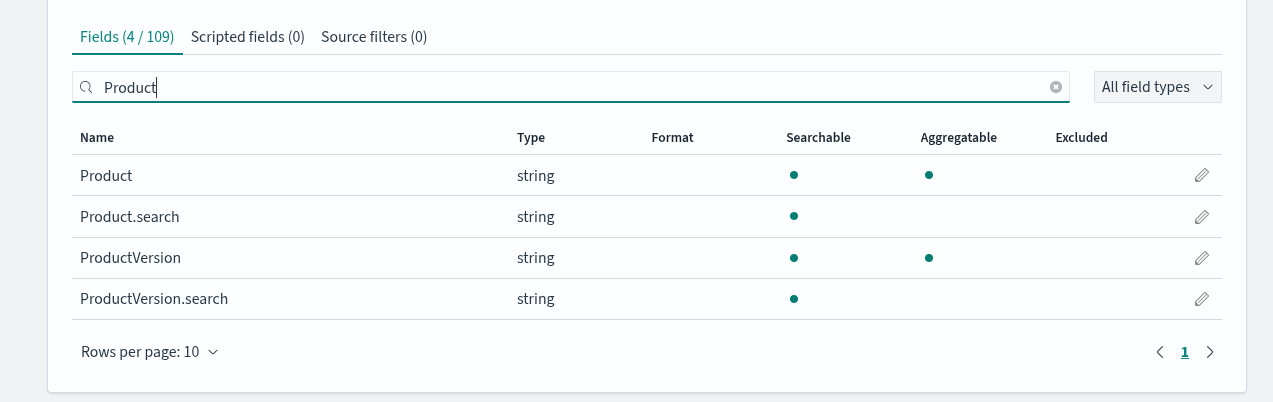
A sample document looks as follows using discover:

for slice:

Now The RAW Document looks like this:
{
“_index”: “pulse-server-state-2025-09”,
“_id”: “ub6LLJkB3uQsQ4DaIPNW”,
“_score”: 0,
“_source”: {
“ServerName”: “CWLINUX”,
“ServiceName”: “tm1srv01”,
“IsSystemThread”: false,
“IsWaiting”: false,
“IsRunning”: true,
“IsIdle”: false,
“IsCommitting”: false,
“IsRollingBack”: false,
“timestamp”: “2025-09-09T13:35:34.954+10:00”,
“Id”: “thread-139888158570048”,
“SessionId”: 48,
“ThreadId”: 139888158570048,
“UserName”: “Admin”,
“DisplayName”: “Admin”,
“State”: “Run”,
“Function”: “VIEW”,
“ObjLockStatus”: “(R)0(IX)0(W)0”,
“Time”: 0,
“SessionTime”: 200080000,
“LastActionTime”: 0,
“ThreadType”: “User”,
“Context”: “Slice/2.1 (0); Excel/16.0.16130 (x64, 07 - BUD Pack - Vx.xlsx, Parameters)”,
“Product”: “Slice”,
“ProductVersion”: “2.1”,
“ExcelVersion”: “16.0.16130”,
“ExcelArchitecture”: “x64”,
“Workbook”: “07 - BUD Pack - Vx.xlsx”,
“Worksheet”: “07 - BUD Pack - Vx.xlsx”,
“ObjectName”: “”,
“ObjectType”: “”,
“RLocks”: 0,
“IXLocks”: 0,
“WLocks”: 0,
“WaitTime”: 0,
“ThreadInfo”: “”,
“DocumentType”: “TM1TopItem”,
“_isPulseThread”: false
}
This is included in the next Release coming very soon!
Kind Regards,
Erik